


How to Withdraw Funds from USD Available Wallet?

Written by
Luisa Woodfine
Updated over a week ago
If you are publisher or vendor or seller on any of our connected platform then you may withdraw your earnings from your wallet (USD Available)
Explore the following links to easily withdraw funds from your USD Available Wallet:
- Withdraw via CPIDroid (Login Required)
- Withdraw via SEOeShop (Login Required)
- Withdraw via ASOeShop (Login Required)
- Withdraw via ElanceMarket (Login Required)
Ensure you're logged into your account and use secure networks for your transactions.
Quick Steps:
- Click on the Withdraw Funds after clicking on the above link.

- Put your amount and choose your payment gateway then, click checkout to withdraw funds.
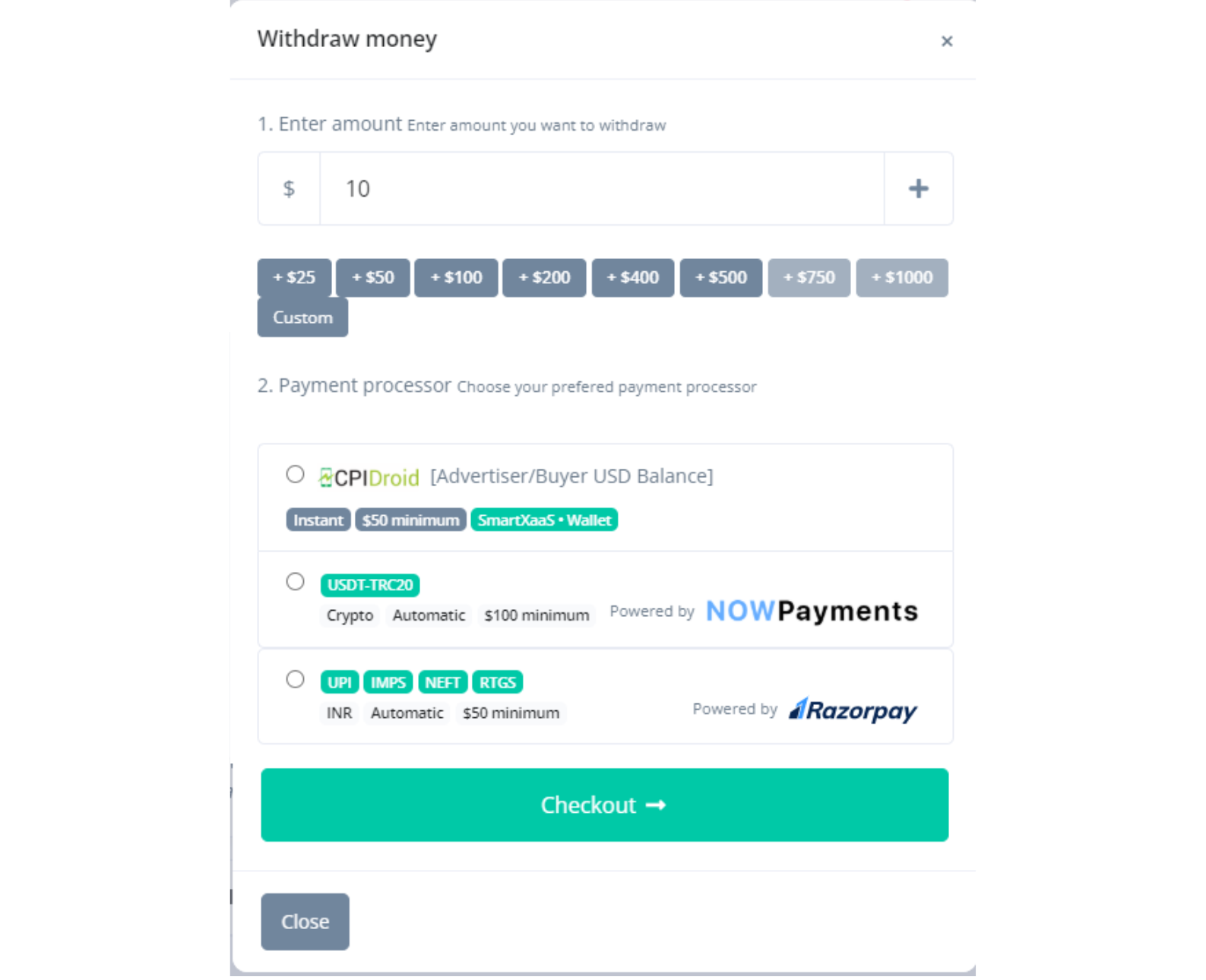
Note: Payment gateway option will vary country to country. - Ensure all details are entered accurately.
- After completing the form, click the "SUBMIT" button.
Bonus. Sketch is small bonus that has some of the theme. Front's Sketch file comes with all demo pages design only. Front is not only for developers but also for designers.
Was this article helpful?
0 out of 1 found this helpful